
FAQ
DCFT questions and answers
75 answers about the app, your cable machine, training, Pro and your data. Type to filter, or use the search at the top of every page.
Does it fit my machine? Very likely.
Subscription? No, never.
Nothing found. Write to [email protected] and you get an answer from the developer.
Getting started
What is DCFT?
DCFT is an iPhone app that plans and guides your strength training on a dual cable machine. It builds a weekly plan from your goal, your equipment and your time, finds your starting weights with a short fitness check and tells you in every set which plate to pin.
What does DCFT stand for?
DCFT stands for dual cable functional trainer, the machine the app is made for: two towers, each with its own weight stack and a pulley you can move up and down.
What is a dual cable machine?
A dual cable machine, also called a functional trainer or cable crossover, has two towers with their own weight stacks and adjustable pulleys. Because both sides work on their own, you can train almost every muscle on one machine, at home or in the gym.
When can I download DCFT?
Right now. DCFT is available on the App Store for iPhone (iOS 18 or later), and the Apple Watch app comes with it. Downloading is free, Pro is a one-time purchase.
Which iPhone do I need?
Any iPhone with iOS 18 or later. The optional Apple Watch app needs watchOS 11 or later.
Is there an Android version?
Not yet. DCFT is an iPhone app. An Android version will only follow if the app does well on iOS.
Is there an iPad or web version?
No. DCFT is made for the iPhone, with an optional app for the Apple Watch. There is no iPad layout and no web version.
Which languages does the app speak?
8 languages: English, German, Spanish, French, Italian, Dutch, Polish and Portuguese (Brazil). The app follows your iPhone’s language, and you can switch it in the app’s settings.
I’m a complete beginner. Is DCFT right for me?
Yes. Every exercise has an animated how-to with cues, the fitness check finds weights you can handle, and beginner plans start with fewer exercises and longer learning phases. You don’t need to know any exercise names beforehand.
I’m older or getting back into training. Can I use DCFT?
Yes. If your goal is to stay healthy and mobile or to get back into it, DCFT uses a careful line: supported exercises first, reps in reserve, balance and everyday strength such as standing up, carrying and climbing stairs, and no hard phases.
How long does the setup take?
About five minutes for the questions, plus one short fitness check session. After that you open the app and start the workout.
Your machine and the weights
Does DCFT work with my cable machine?
Very likely. You enter how many plates each stack has, what one plate weighs, the pulley ratio and any add-on weights. DCFT then only plans with weights your machine can really set. Home functional trainers and gym cable towers both work. Machines with only one tower work as well, with fewer exercises.
Does DCFT work with a single cable machine?
Yes. DCFT is made for two towers, but you can choose one cable tower at setup or later in Settings under “Machine & weights”. Your plan then leaves out every exercise that needs two cables and uses one-cable versions instead: lat pulldown, seated row and Romanian deadlift with a bar or V-handle clipped to the middle of the cable, single-arm and goblet exercises, and bodyweight or free weights only where nothing else fits. In the app, the exercises that need two cables are marked “Needs two cable towers”. Supersets only pair exercises with the same setup or with one that needs no cable, and the weight is shown for the stack instead of per side. If you switch back to two towers, your earlier plan comes back.
What is a pulley ratio, and why does DCFT ask for it?
The ratio says how much of the stack weight arrives at the handle. At 2:1 the handle feels like half the stack, at 1:1 like the full stack. DCFT needs it to compare weights, estimate your strength level and set sensible steps.
How do I find out my machine’s pulley ratio?
Look in the manual or on the frame. Or pull the handle out 20 cm and watch the stack: if it rises 20 cm the ratio is 1:1, if it rises 10 cm it is 2:1. The pulley ratio guide on this site explains it with a calculator.
Can I use pounds instead of kilograms?
Yes. You choose kg or lb for the app, and separately the unit your plates are labelled in. The weight ladder is built in the plates’ own unit, so 10 lb stay exactly 10 lb.
My machine has small add-on weights. Can DCFT use them?
Yes. Enter the add-on weights you can hang on a stack, for example 1.25 and 2.5 kg. DCFT then progresses in finer steps and tells you which add-on to use.
Which handles and attachments do I need?
Two single handles are enough for a complete plan. A rope, a lat bar, a straight or EZ bar, a V-handle, an ankle cuff, a dip belt and an assist band open up more exercises. You tick what you have, and DCFT only picks exercises you can do.
Can I add a bench, a pull-up bar or dumbbells?
Yes. Flat or adjustable bench, stool or box, step, pull-up bar, dip bars, kettlebell, dumbbells and an exercise ball are all supported. Cable exercises stay the focus.
What does “Plate 16” mean in the app?
It is the plate where you put the pin. DCFT works out the weight per side for your set, finds the nearest step your stack can do and shows the plate number, so you don’t have to count plates.
Why do different exercises with the same handle have different weights?
Because the load is different. A one-arm exercise on one cable, the same move with both cables, or a different handle each count as their own exercise with their own weight and history. When you swap, DCFT converts the weight for you.
What if the whole stack gets too light for me?
When an exercise reaches the end of your stack, or the limit where you can still stand stable, DCFT switches to methods that make the same weight hard again: three seconds of lowering, a two-second pause in the stretch, one and a half reps, or a higher rep range. No weight is added that isn’t there.
Plans and training
How does DCFT build my plan?
From your goal, your experience, how many days you train, how long a session can be, your focus areas and your equipment. It picks a split that fits, fills each day with movement patterns and chooses exercises that suit your machine, your joints and your level.
Which goals can I choose?
Build muscle, get stronger, get fitter and more toned, lose weight, stay healthy and mobile, or get back into it. You also choose a style: athletic and challenging, balanced, or steady and controlled.
How many days a week and how long per workout?
You pick the weekdays you can train and a session length of 30, 45, 60 or 75 minutes. Two days give two full body workouts, four days an upper and lower split, five or more a push, pull and legs rotation.
Can I change the plan myself?
Yes. You can add, swap, remove and reorder exercises, set your own rest for an exercise, turn supersets on or off and rebuild the whole plan whenever your goal or equipment changes.
I only have 30 minutes today. What now?
Use “Time today”. DCFT shortens the session to the time you have and keeps the important exercises.
What happens if I miss a training day?
Nothing bad. With fixed training days DCFT suggests another day for the missed workout. With flexible days the plan simply continues with the next workout.
What are supersets in DCFT?
Two exercises done in turns. DCFT only pairs exercises that need no re-rigging on a dual cable machine: each uses its own tower, one needs no cable, or both use the same setup. That saves time without stress at the machine. On a single tower, only the last two apply.
How does DCFT decide when to add weight?
When you reach the top of your rep range in all work sets, DCFT asks once: all clean? Then the weight goes up next time. If you prefer it fully automatic, you can turn the question off. If a set was far too easy, DCFT jumps straight to a fitting weight.
What is a deload week?
A planned lighter week every few weeks, depending on your goal and experience. You train with less weight, recover, and come back stronger. DCFT plans it in and tells you when it starts.
What happens if I stop making progress?
DCFT notices plateaus and suggests a fix with one tap, such as a variation, a different rep range or a lighter reset. After a few weeks, planned training blocks also change rep ranges and some exercises on purpose.
Does DCFT include warm-up and cool-down?
Yes. A short guided warm-up before the workout and a few calm stretches afterwards, matched to the day. Before heavy exercises there are warm-up sets. Everything can be skipped with one tap.
How long are the rest periods?
They follow your goal: about two minutes for big exercises when building muscle, 75 seconds for small ones, a bit longer for strength and shorter for getting fitter. You can make all rests shorter or longer, or set one exercise on its own.
Is there cardio or conditioning?
Yes, as an optional finisher: a short circuit at the machine after the workout, either as intervals or as a calm circuit at talking pace. There is also a daily step goal that grows slowly.
Does DCFT plan my nutrition?
No. DCFT is about training. There is a step goal, but no calorie counting and no meal plans.
Can I create my own exercises?
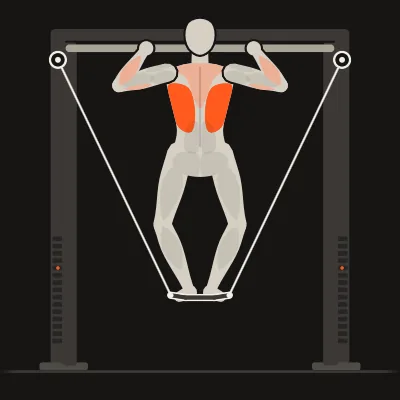
Not as free text. You choose from the library of exercises, which all come with an animation, a muscle map and the data DCFT needs to plan weights. If you miss an exercise, write to us.
Safety and health
What happens if an exercise hurts?
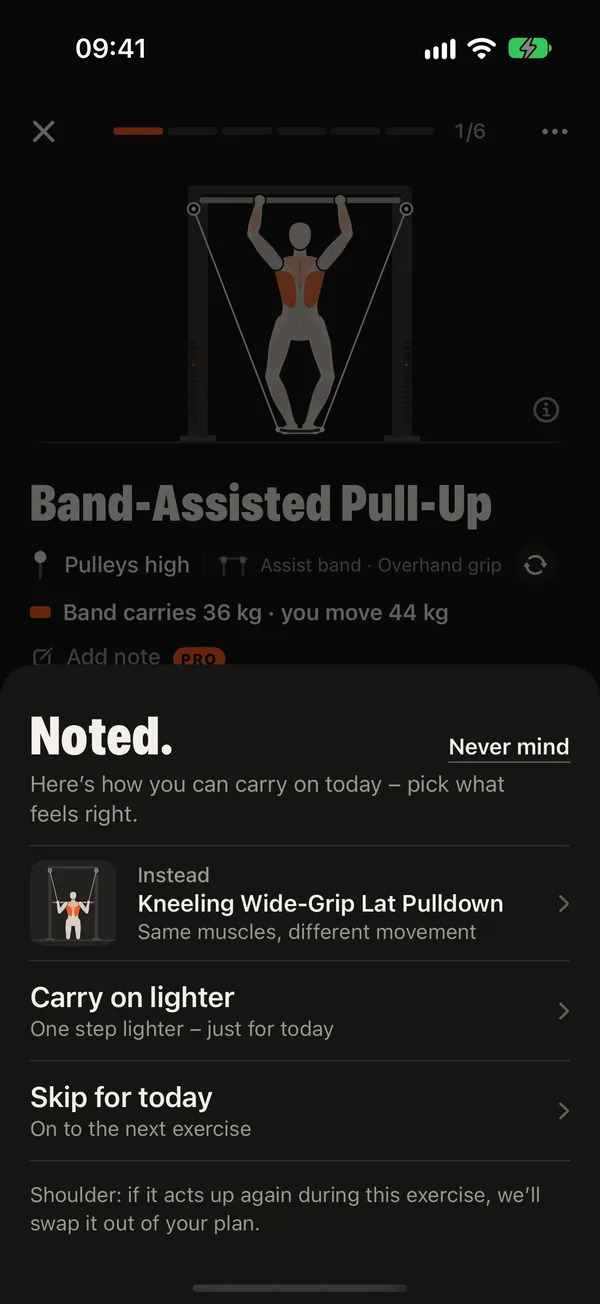
Tap “This hurts”, say where and how much, and DCFT swaps in a gentler exercise for today. If the same exercise hurts twice within six weeks, it is replaced in your plan. If one joint hurts in different exercises, DCFT protects that joint like a complaint you entered at setup. If it lasts, the app advises you to have it checked.
Can I tell DCFT about joint problems?
Yes. At setup you can mark shoulder, elbow, wrist, knee, lower back or hip. DCFT then leaves out exercises that load that joint and picks well supported variations instead.
Why does DCFT ask health questions?
The short check is based on the PAR-Q+ questionnaire used before exercise. If something applies, for example heart problems, high blood pressure or a recent operation, DCFT builds a more careful plan and advises you to talk to your doctor first. The answers stay on your iPhone.
Is DCFT a medical app?
No. DCFT is a training app and does not replace advice from a doctor or physiotherapist. If you have health problems, talk to your doctor before you start.
I don’t feel well today. Do I have to do the full workout?
No. Answer “How are you feeling today?” honestly, or tap “Not feeling it today?” during an exercise. DCFT goes one step lighter, just for today, and the plan stays as it is.
Progress and motivation
How do I see my progress?
On the Achievements tab: level and XP, your weekly goal and streak, personal records for every exercise, your strength level, badges, the skill path and your body weight over time. Every week there is a short recap.
What is the strength level?
It shows how strong you are for your body weight, age and sex, based on your best results. It is a rough guide that makes progress visible beyond the numbers on your machine.
What is the skill path?
A path of bodyweight milestones: from your first push-up and first pull-up to ten pull-ups, dips, an L-sit, a pistol squat and a muscle-up. DCFT shows which skills are within reach and adds the right exercises to your plan.
Can I track my body weight and measurements?
Yes. Body weight and measurements such as your waist are kept with a history. With Apple Health switched on, DCFT can also read your body weight from there.
What do the Pro stats show?
Weight moved per week over twelve weeks, a training calendar, your strength trend per exercise based on estimated one-rep max, and how your sets are split across muscles.
Apple Watch and iPhone
Do I need an Apple Watch?
No. The whole workout runs on the iPhone. The Watch app is a handy remote and part of DCFT Pro.
What can I do on the Apple Watch?
Tick off a set with one tap, change reps or weight with the Digital Crown, see the plate to pin, and follow the rest countdown, which ends with a tap on your wrist. During the rest the next exercise is already shown, with pulley and handle when you need to set up. Heart rate and active energy are recorded and can be saved to Apple Health.
Does the Watch app work without the iPhone?
No. The Watch app works together with the iPhone app, where plan, weights and history live, so keep your iPhone nearby. If the connection drops for a moment, sets you tick off stay on the watch and are sent on as soon as the iPhone is back in reach.
Will I hear when the rest is over if my phone is locked?
Yes. DCFT sends a time-sensitive notification when the rest ends. With Pro the countdown, the next set and the weight also show on the Lock Screen and in the Dynamic Island.
Does DCFT work with Apple Health?
Yes, with Pro and only if you switch it on, separately for each type: DCFT can save workouts, body weight and waist circumference, and read body weight and steps. DCFT works fully without Health too.
What happens if the app closes during a workout?
DCFT saves the workout after every change. When you open the app again, it offers to resume where you stopped.
Free, Pro and purchase
Is DCFT free?
Yes. Plan, fitness check, every workout with automatic progression, deloads, the pain button, every handle and piece of equipment, history and backup are free with no time limit.
What does DCFT Pro add?
Stats, notes on exercises, the Apple Watch app, the rest timer on the Lock Screen and in the Dynamic Island, and Apple Health. Training itself is never behind a paywall.
Is DCFT Pro a subscription?
No. Pro is a one-time purchase. You buy it once and keep it. There is no subscription.
How much does Pro cost?
The price is shown in the App Store in your currency before you buy. It is a single payment, not a monthly fee.
Can I try Pro first?
Yes. You can try every Pro feature free for 14 days. The trial ends by itself and nothing is charged.
Does Pro work with Family Sharing?
Yes. DCFT Pro supports Family Sharing, so people in your Apple family group can use it too.
I have a new iPhone. How do I get Pro back?
Sign in with the same Apple ID and tap “Restore purchases” in the Pro section of the app. Pro is tied to your Apple ID, not to a DCFT account.
How do I get a refund?
Purchases go through Apple, so refunds do as well. Request one on Apple’s “Report a Problem” page with the Apple ID you used.
Privacy and your data
Do I need an account?
No. There is no DCFT account, no login and no sign-up.
Where is my data stored?
Only on your iPhone and your Apple Watch. DCFT has no server and sends nothing to the internet. There are no ads, no tracking and no analytics.
Does DCFT work offline?
Yes, completely. You only need the internet to download the app and to buy Pro.
Is there iCloud sync?
No. DCFT doesn’t sync through any cloud. To move your data you save a backup file and open it on the other iPhone.
How do I move my data to a new iPhone?
Save a backup in the app’s settings, send the file to your new iPhone, for example with AirDrop or through Files, and open it there. DCFT restores everything. A full iPhone transfer from your old phone usually brings the app data along as well.
Can I export my workouts?
Yes. Next to the backup file, you can export all workouts as a CSV file for any spreadsheet.
Does DCFT make automatic backups?
Yes. DCFT keeps a snapshot of each of the last seven days on your iPhone, plus a copy before every restore or delete, so you can go back to an earlier state.
How do I delete my data?
In the app’s settings under “Delete all data”. Deleting the app also removes everything, since nothing is stored anywhere else.
Help and contact
How do I contact the developer?
In the app under Settings → Help → Send feedback, by email to [email protected] or with the contact form at hohl.dev/en/contact. You get an answer from the person who builds the app.
How do I report a bug or send an idea?
Open Settings → Help → Send feedback in the app and pick bug, idea, question or praise. Device info (app version, Free, trial or Pro, iOS version, iPhone model, language, Watch connection) is attached unless you turn it off, and workout or body data are never included. An email to [email protected] opens and you see everything before you send it. The app itself still sends nothing to the internet.
The weights don’t match my machine. What can I do?
Check plates per side, weight per plate and pulley ratio in Settings under “Machine & weights”. If a single weight feels wrong, change it in the set: DCFT learns from what you actually lift. You can also repeat the fitness check.
I don’t get a notification when the rest ends.
Allow notifications for DCFT in the iPhone settings and check that a Focus mode isn’t silencing them. In the app, “Alert when rest ends” must be on. With an Apple Watch connected, the Watch takes over the alert.
Can the figures stand still? The animations distract me.
Yes. Turn on “Don’t animate figures” in the accessibility settings. DCFT also follows the iPhone’s Reduce Motion, text size and contrast settings, and offers larger buttons.
Does the app have a dark mode?
Yes. DCFT follows your iPhone or stays light or dark, whichever you choose in the settings.
Still a question?
Write to [email protected] or use the contact form. You get an answer from the developer, usually within a few days.