
Apple Watch
Your cable machine workout on your wrist
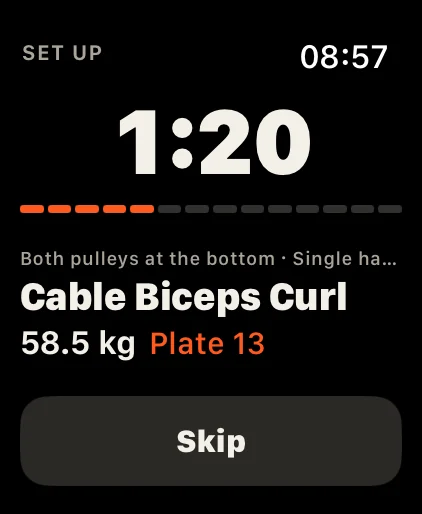
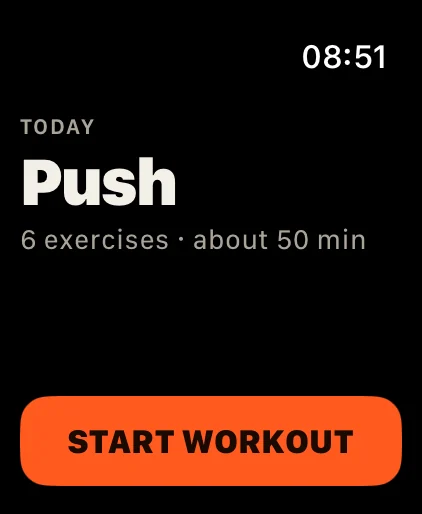
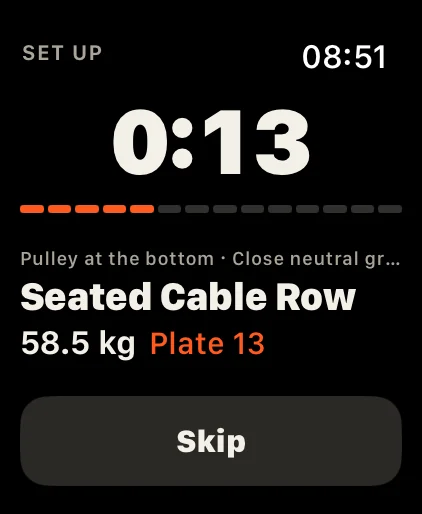
The iPhone stays on the bench. The watch tells you what to do: which exercise, which plate, how many reps and how long to rest. One thing per screen, readable at arm’s length.
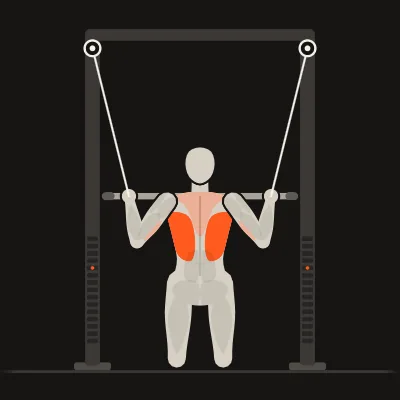
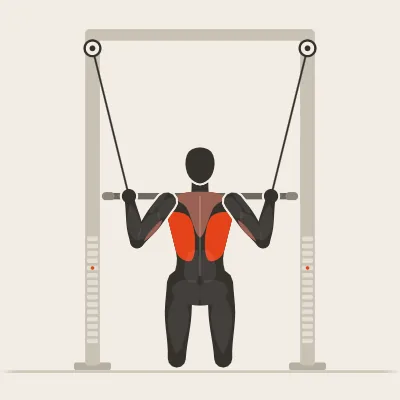
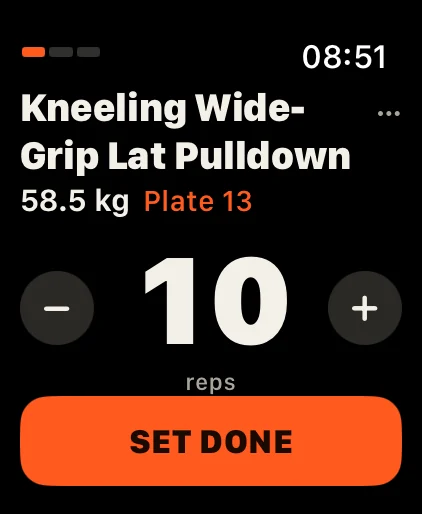
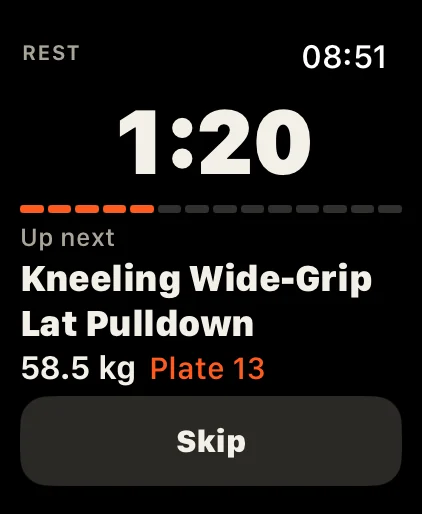
Step by step
A workout on the watch
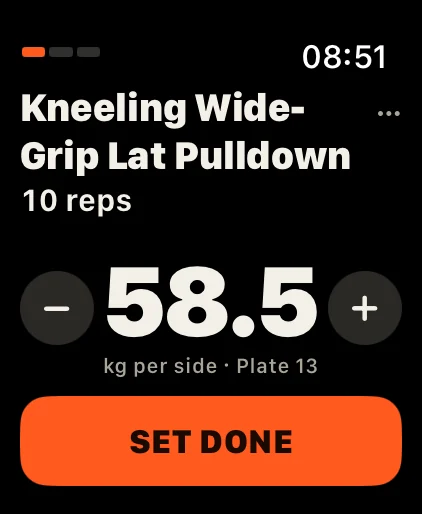
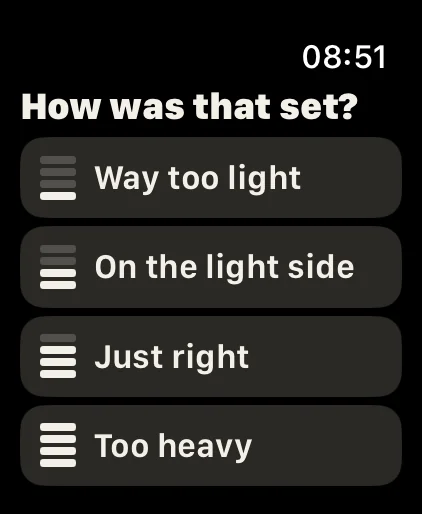
Set done? One tap. Which plate? It’s on the watch.
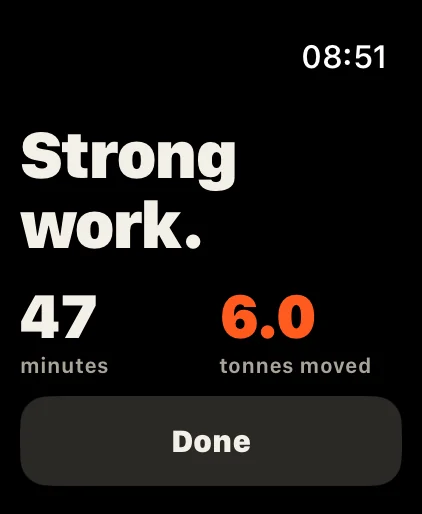
- SupersetSwitch to the other tower, the watch says what to set.
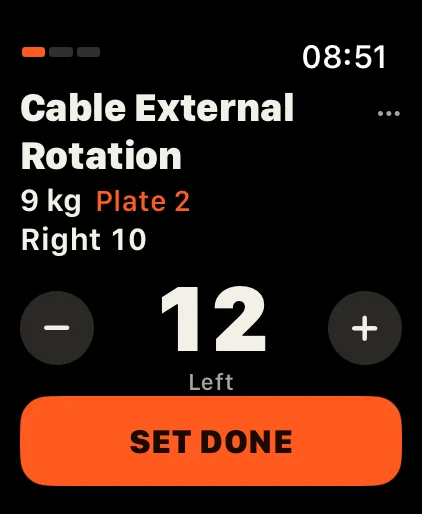
- One side at a timeLeft and right are counted on their own.
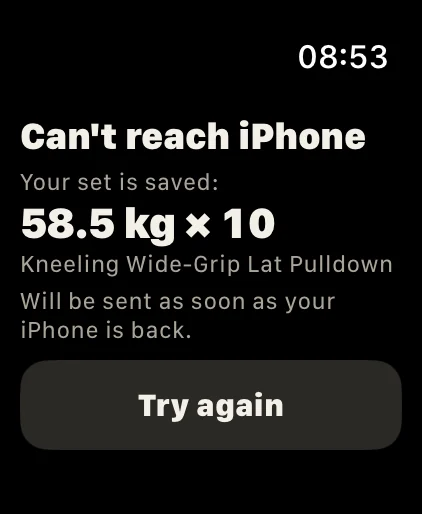
- Out of rangeYour set is saved on the watch and sent on later.
- The “…” menuMake it easier, skip, or report pain.
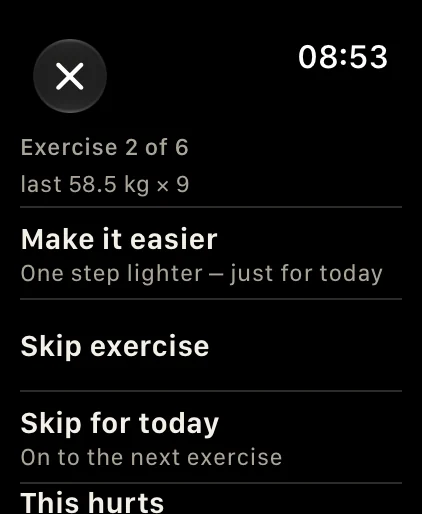
One-sided exercises such as lateral raises run side by side, and the watch shows which side is next. The “…” next to the exercise name lets you skip it, make it lighter, report pain or end the workout.
Features
Made for the time between two sets
Set done in one tap
Reps are prefilled with your target. Different? Turn the Digital Crown or tap − and +.
The plate to pin
On every set and during the rest, in orange, so you set the stack without counting.
Rest with a tap on the wrist
The countdown keeps running with your arm down, and the watch vibrates when it is over.
Next exercise during the rest
With weight and plate, and with pulley and handle when you need to set up.
Heart rate and energy
Recorded during the workout and, if you like, saved to Apple Health as a workout. The screen stays calm: no big pulse display.
Always-On
With your wrist down you still see roughly how much rest is left.
Out of range?
Sets you tick off stay on the watch and are sent on as soon as the iPhone is back in reach.
Every case size
Text and spacing adapt; set and rest fit without scrolling, even on small watches.
Lock Screen & Dynamic Island
No watch? The iPhone keeps count, even locked
During a workout DCFT shows the rest countdown, the next set and its weight as a Live Activity on the Lock Screen and in the Dynamic Island.
- Countdown on the Lock Screen
- Compact in the Dynamic Island
- Time-sensitive alert when the rest ends
- Silent on the iPhone while the watch takes over
Good to know
- The watch app is part of DCFT Pro: a one-time purchase, no subscription, free to try for 14 days. Without Pro the watch shows a short note.
- It works together with the iPhone app. Plan, weights and history live on the iPhone, so keep it nearby. The watch is remote and display, not a standalone training device.
- You set up training on the iPhone: setup, fitness check and plan. Warm-up and stretching also run on the iPhone.
- watchOS 11 or later, in the same language as the iPhone app.
- No account, no server: everything stays on your iPhone and your watch.
FAQ
Questions about the watch
Do I need an Apple Watch?
No. The whole workout runs on the iPhone. The Watch app is a handy remote and part of DCFT Pro.
What can I do on the Apple Watch?
Tick off a set with one tap, change reps or weight with the Digital Crown, see the plate to pin, and follow the rest countdown, which ends with a tap on your wrist. During the rest the next exercise is already shown, with pulley and handle when you need to set up. Heart rate and active energy are recorded and can be saved to Apple Health.
Does the Watch app work without the iPhone?
No. The Watch app works together with the iPhone app, where plan, weights and history live, so keep your iPhone nearby. If the connection drops for a moment, sets you tick off stay on the watch and are sent on as soon as the iPhone is back in reach.
Will I hear when the rest is over if my phone is locked?
Yes. DCFT sends a time-sensitive notification when the rest ends. With Pro the countdown, the next set and the weight also show on the Lock Screen and in the Dynamic Island.
Does DCFT work with Apple Health?
Yes, with Pro and only if you switch it on, separately for each type: DCFT can save workouts, body weight and waist circumference, and read body weight and steps. DCFT works fully without Health too.
What happens if the app closes during a workout?
DCFT saves the workout after every change. When you open the app again, it offers to resume where you stopped.
Train with a plan that knows your machine

Free on the App Store for iPhone. Pro is a one-time purchase with no subscription.
DCFT is one of the apps on hohl.dev.